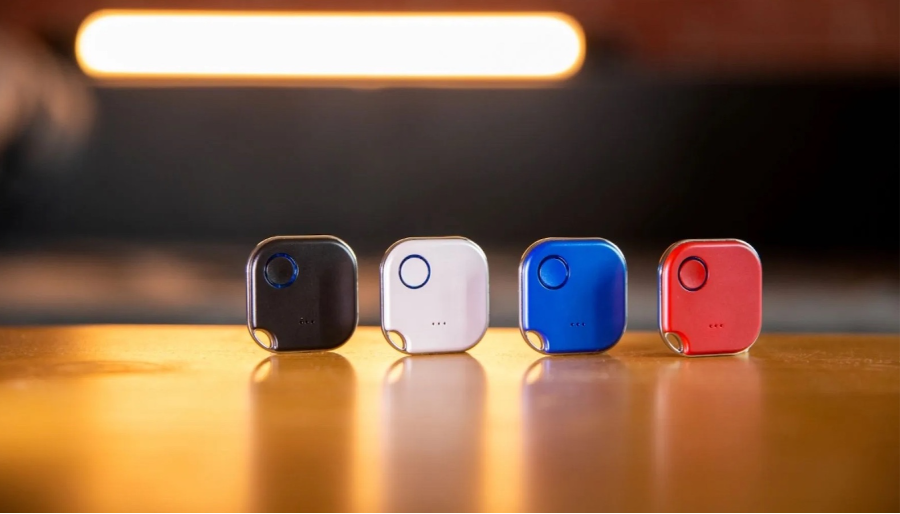
The Shelly BLU Button1 is a Bluetooth-operated action and scenes activation button that allows you to control your smart home devices with just a click. It has a range of up to 30 meters indoors and 10 meters outdoors, so you can use it to control devices from anywhere in your home.
The Shelly BLU Button1 can be used to control up to 4 different actions or scenes. You can configure the button to perform different actions depending on how many times you press it. For example, you could set it up so that a single press turns on the lights, a double press turns on the coffee maker, and a triple press turns on the TV.
The Shelly BLU Button1 also has a scripting functionality that allows you to create more complex actions. For example, you could create a script that turns on the lights and locks the door when you leave your house.
The Shelly BLU Button1 is compatible with the Shelly Cloud app, so you can control it from anywhere in the world. You can also use it with Home Assistant and other home automation platforms.
Here are the steps on how to use the Shelly BLU Button1 to activate scenes:
- Download the Shelly Cloud app and create an account.
- Add the Shelly BLU Button1 to your account.
- Create a scene in the Shelly Cloud app.
- Assign the Shelly BLU Button1 to the scene.
- Press the Shelly BLU Button1 to activate the scene.
Here are some of the features of the Shelly BLU Button1:
- Bluetooth-operated
- Up to 4 pre-set actions or scenes
- Range of up to 30 meters indoors and 10 meters outdoors
- Scripting functionality
- Compatible with the Shelly Cloud app and Home Assistant
- Long battery life (up to 2 years)
The Shelly BLU Button1 is a versatile and easy-to-use device that can be used to control your smart home devices with just a click. It is a great way to automate your home and make your life easier.
 Gadgets Hub
Leave a comment