
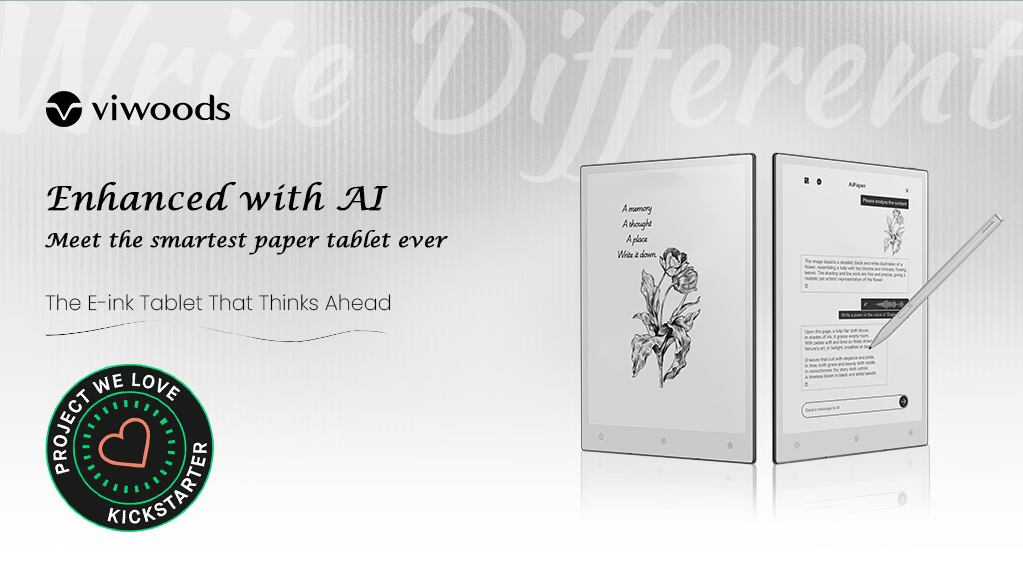
The Viwoods AiPaper Carta 1300 E Ink Tablet is packed with impressive features that make it stand out in the e-note market. Here are some of its key highlights:
JOYSONG Cube Rower: Versatile Home Fitness Solution
- Display: It features a 10.3-inch E Ink Carta 1300 display, which offers 20% higher contrast and 25% faster response time compared to previous models. This results in better performance, faster page turns, and reduced ghosting.
- Design: The tablet is incredibly thin at just 4.5mm, making it one of the slimmest e-notes available. It has thin bezels on all sides except for a thicker lower bezel that houses the Home, Back, and AI buttons.
- Performance: Powered by an 8-core processor with 4GB of RAM and 128GB of storage, it ensures smooth operation and ample space for your documents and notes.
- Battery Life: The 4100 mAh battery provides up to 4 weeks of standby time, making it highly reliable for long-term use without frequent charging.
- AI Capabilities: The tablet includes advanced AI features that can analyze content, organize handwritten notes, assist with research and writing, and provide extensive AI Q&A support.
- Handwriting-to-Text Conversion: It offers three handwriting-to-text conversion options, including real-time conversion, which can be very useful for note-taking and document creation.
- Connectivity: Equipped with WiFi and Bluetooth, it ensures seamless connectivity for syncing and sharing your work.
- Build Quality: The build quality is top-notch, with a sleek and modern design that includes a magnetic case and a high-quality stylus.
Here are some of the Pros and Cons of the Viwoods AiPaper:
Potential Pros
- Excellent Display: The Carta 1300 display is expected to offer high contrast, improved sharpness, and faster refresh rates, resulting in a superior reading experience.
- Eye-Friendly Technology: E Ink displays are renowned for reducing eye strain, making it ideal for long reading sessions.
- AI Integration: The “AiPaper” moniker suggests advanced features like smart note-taking, handwriting recognition, document organization, and potentially even language translation.
- Long Battery Life: E Ink devices typically boast impressive battery life, allowing extended usage without frequent charging.
- Lightweight and Portable: Similar to other E Ink tablets, it’s likely to be designed for portability.
Potential Cons
- Limited Color Capabilities: E Ink displays are primarily grayscale, limiting their suitability for color-intensive content.
- Refresh Rate Limitations: While improved compared to older generations, E Ink displays still have refresh rate limitations, which can be noticeable when displaying rapidly changing content.
- Potential Cost: Given the inclusion of AI features and advanced display technology, the device might be on the pricier side.
- Dependency on Software: The effectiveness of AI features will largely depend on the quality of the software and algorithms.
- Limited Availability: As a relatively new product, it might have limited availability initially.
Conclusion
The Viwoods AiPaper Carta 1300 has the potential to be a compelling E Ink tablet, especially for those who prioritize reading, note-taking, and document management. However, its success will ultimately depend on the execution of AI features, the overall performance, and the pricing.
Alternatives to Viwoods AiPaper Carta 1300
While information about the specific Viwoods AiPaper Carta 1300 is limited, we can explore popular E Ink tablets that offer similar features and capabilities.
Here are some strong contenders in the E Ink tablet market:
Popular E Ink Tablet Alternatives
- Amazon Kindle Scribe:
- Combines e-reader and notepad functionality.
- Offers a variety of stylus options.
- Strong integration with the Kindle ecosystem.
- Remarkable 3:
- Focuses on note-taking and sketching.
- High-quality display and stylus.
- Offers cloud storage and synchronization.
- Boox Note Air 3:
- Versatile with e-reading, note-taking, and document annotation.
- Large display size.
- Supports multiple file formats.
- Likebook Ares Note 3:
- Affordable option with decent performance.
- Good for students and professionals.
- Offers basic note-taking and reading features.
Factors to Consider When Choosing an Alternative
- Screen size: Determine the optimal size for your needs.
- Storage capacity: Consider how much content you plan to store.
- Stylus compatibility: Ensure compatibility with your preferred stylus.
- Battery life: Check the battery life to meet your usage requirements.
- Software features: Evaluate the note-taking, reading, and organizational tools.
- Price: Set a budget and compare options within your range.
Remember:
The best choice depends on your specific needs and preferences. Consider the primary use case for the tablet (e-reading, note-taking, or both) and prioritize features accordingly.
Watch videos:-
Most views blog:-
Neakasa M1: Open-Top Self-Cleaning Cat Litter Box
ForgedAir: The most comfortable and clearest speaking respirator in the world.
Premium Limited Edition Analogue Pocket: Exquisite Design and Authentic Emulation
Dragon Ridge EDC Knife: Titanium Handle, M390 Blade, Ergonomic Design
LOOI: Turn Your Smartphone into a Desktop Robot!
HERO: Best Carbon-Fiber Electric All-Terrain Bike
15 Amazing New Inventions That Are At Another Level
XbotGo Chameleon Al-Powered Sports Tracking Phone Mount
 Gadgets Hub
Leave a comment