
Mini laptops, also known as ultraportable laptops, offer a blend of portability and performance. They are ideal for students. They are also perfect for professionals who are constantly on the move. Additionally, they suit anyone who values a compact and lightweight device.
JOYSONG Cube Rower: Versatile Home Fitness Solution
Key Factors to Consider When Buying a Mini Laptop:
- Size and Weight: Mini laptops are designed to be small and lightweight. But, the exact dimensions and weight can vary significantly. Consider your portability needs and how comfortable you are with carrying a smaller device.
- Processor: The processor is the brain of the laptop and determines its overall performance. Opt for a processor from Intel’s Core series or AMD’s Ryzen series. For demanding tasks like video editing or gaming, a higher-end processor is recommended.
- RAM: Random Access Memory (RAM) affects how smoothly the laptop can handle multiple tasks at the same time. A least of 8GB of RAM is recommended for most users. Consider more if you plan to run resource-intensive applications.
- Storage: Solid-State Drives (SSDs) are faster and more reliable than traditional Hard Disk Drives (HDDs). Look for a mini laptop with an SSD for quicker boot times and overall performance.
- Display: Consider the screen size, resolution, and touch capabilities. A larger screen can be beneficial for productivity and entertainment. but it will also increase the size and weight of the laptop.
- Battery Life: Battery life is crucial for a mini laptop. Look for models with at least 8-10 hours of battery life on a single charge.
- Connectivity: make sure the laptop has the necessary ports for connecting to external devices. These include USB-A, USB-C, HDMI, and a headphone jack.
- Budget: Set a realistic budget for your mini laptop. Prices can vary significantly depending on the features and specifications.
By carefully considering these factors, you can find the perfect mini laptop to suit your needs and preferences.
Here are some reviews and insights on the best mini laptops available in 2024:
1. Apple MacBook Air:
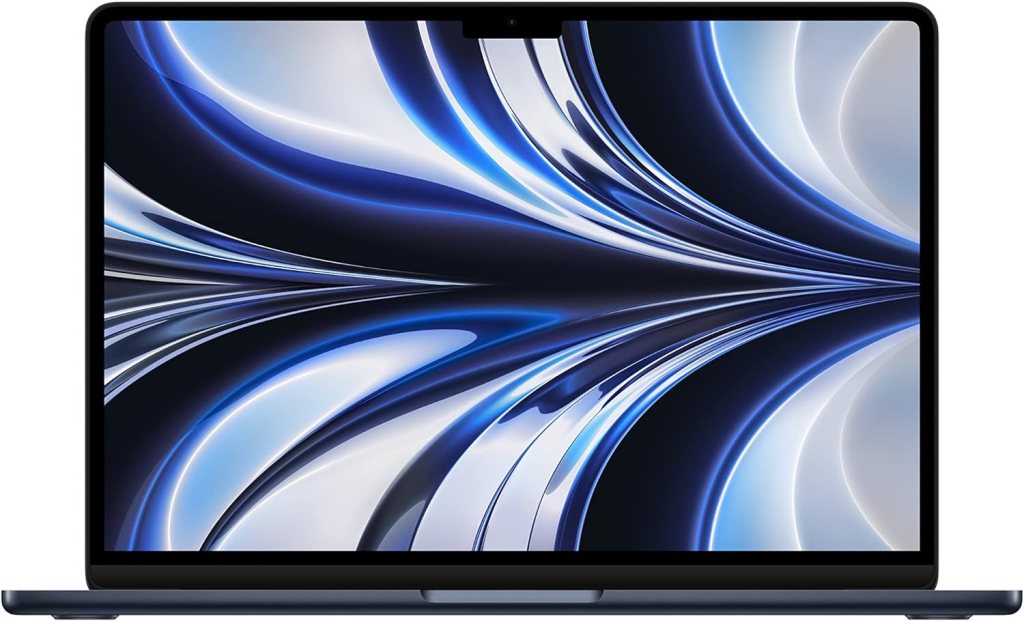
The Apple MacBook Air is a popular choice among laptop users. This is due to its sleek design, powerful performance, and long battery life. Here’s a breakdown of its key features, pros, and cons:
Features:
- M-series Chip: Powered by Apple’s M-series chips, offering exceptional performance and energy efficiency.
- Retina Display: High-resolution display with vibrant colors and sharp visuals.
- Thin and Light Design: Portable and easy to carry around.
- All-Day Battery Life: Can last for many hours on a single charge.
- Touch ID: Built-in fingerprint sensor for secure and convenient login.
- Face ID: Optional facial recognition feature for secure unlocking.
- Thunderbolt 4 Ports: Versatile ports for connecting to various devices.
- Backlit Magic Keyboard: Comfortable and responsive keyboard with backlighting for low-light typing.
- Force Touch Trackpad: Precise and responsive trackpad for navigation.
Here are some of the pros and cons of the Apple MacBook Air:
Pros:
- Powerful Performance: The M-series chips deliver excellent performance for demanding tasks like video editing, photo editing, and gaming.
- Long Battery Life: Can last for many hours on a single charge, making it ideal for on-the-go use.
- Sleek Design: Stylish and portable design that’s easy to carry around.
- High-Quality Display: The Retina display offers stunning visuals for watching movies, browsing the web, and working on creative projects.
- Quiet Operation: Fanless design ensures silent operation, making it ideal for quiet environments.
- macOS: Runs on the intuitive and user-friendly macOS operating system.
Cons:
- Price: Apple products are more expensive compared to Windows laptops.
- Limited Port Choice: Only has a few Thunderbolt 4 ports, which must adapters for connecting to older devices.
- Upgradability: The internal components are not easily upgradeable.
Overall:
The Apple MacBook Air is a fantastic laptop that offers a combination of performance, portability, and style. It’s a great choice for students, professionals, and anyone who values a sleek and powerful device. But, it’s important to consider the price and limited port choice before making a buy.
2. Dell XPS 13:
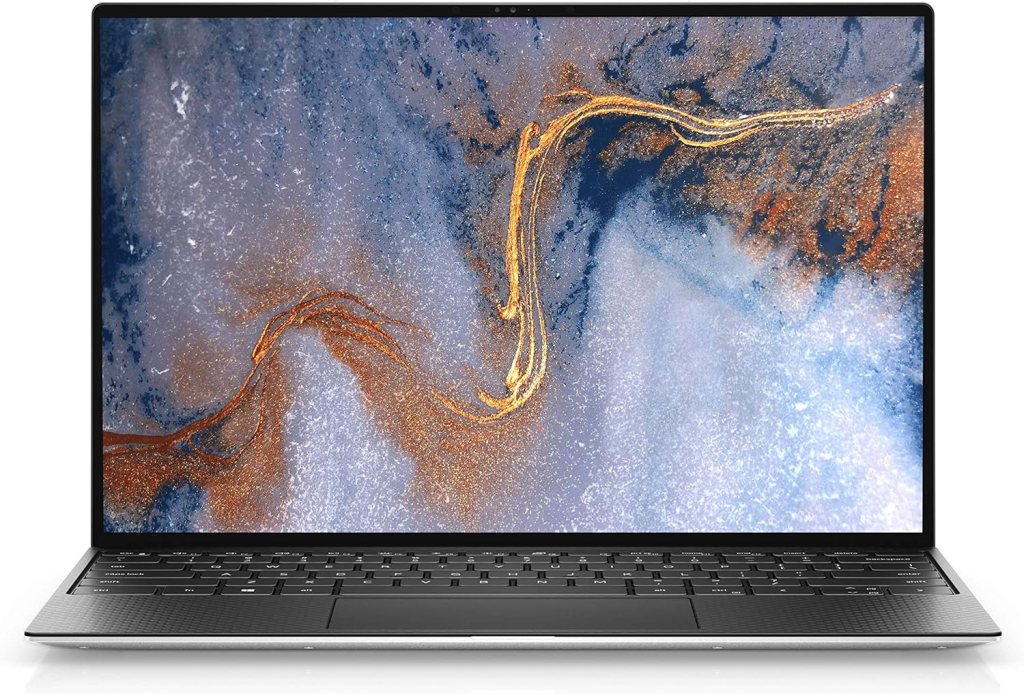
The Dell XPS 13 is a premium ultrabook known for its sleek design, powerful performance, and high-quality display. Here’s a breakdown of its key features, pros, and cons:
Features:
- 13-inch InfinityEdge Display: Virtually borderless display with a high resolution and wide color gamut.
- Latest Intel Core Processors: Powered by the latest Intel Core processors, offering excellent performance for demanding tasks.
- Up to 32GB RAM: Ample RAM for multitasking and running resource-intensive applications.
- Up to 2TB PCIe SSD: Fast and reliable storage for quick boot times and data access.
- Thin and Light Design: Portable and easy to carry around.
- Aluminum or Carbon Fiber Chassis: Durable and stylish build.
- Windows 11: Runs on the latest Windows operating system.
- Fingerprint Reader: Built-in fingerprint reader for secure and convenient login.
- Stereo Speakers with Waves MaxxAudio Pro: High-quality audio for multimedia enjoyment.
Here are some of the pros and cons of the Dell XPS 13:
Pros:
- Premium Design: Sleek and stylish design with a premium build quality.
- Excellent Display: The InfinityEdge display offers stunning visuals with vibrant colors and sharp details.
- Powerful Performance: The latest Intel Core processors deliver excellent performance for demanding tasks like video editing, photo editing, and gaming.
- Fast Storage: PCIe SSDs give quick boot times and data access.
- Long Battery Life: Can last for many hours on a single charge.
- Quiet Operation: Fanless design ensures silent operation.
- Windows 11: Runs on the latest Windows operating system with a modern and intuitive interface.
Cons:
- Price: The Dell XPS 13 is a premium laptop with a higher price tag.
- Limited Port Selection: Only has a few Thunderbolt 4 ports, which must adapters for connecting to older devices.
- Upgradability: The internal components are not easily upgradeable.
Overall:
The Dell XPS 13 is a fantastic laptop that offers a combination of performance, portability, and style. It’s a great choice for professionals, students, and anyone who values a premium device. But, it’s important to consider the price and limited port choice before making a buy.
3. HP Spectre x360:
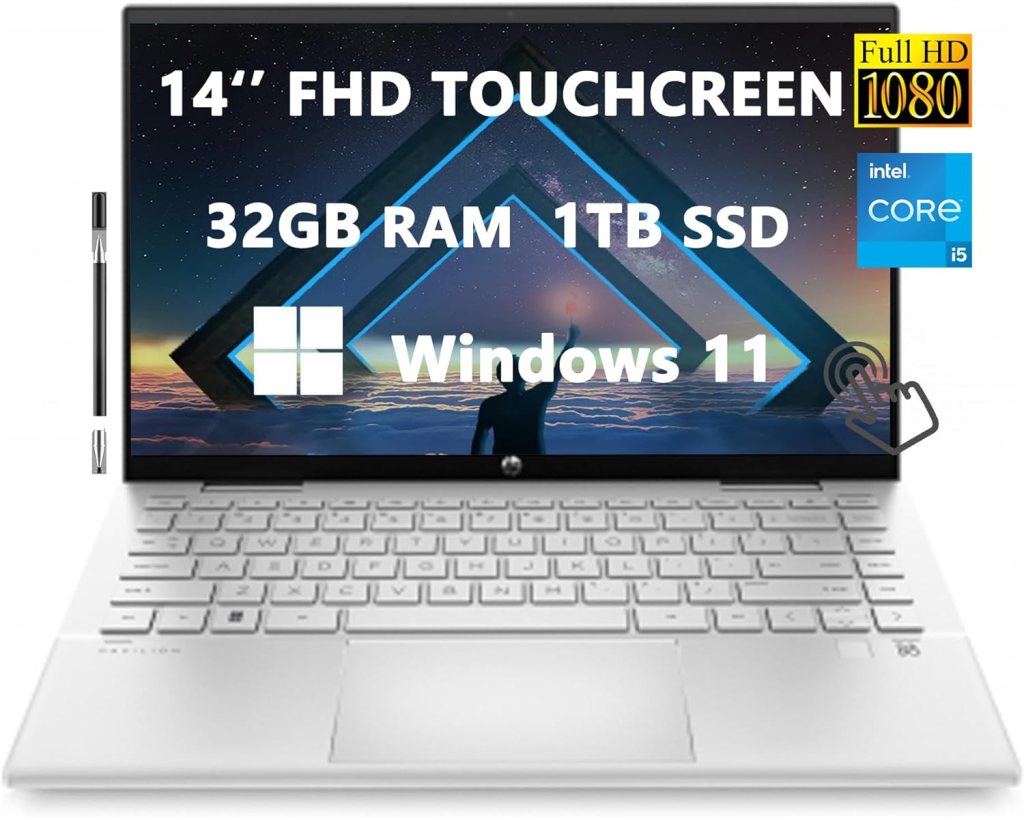
The HP Spectre x360 is a versatile 2-in-1 laptop that can be used as both a laptop and a tablet. It’s known for its sleek design, powerful performance, and high-quality display.
Features:
- 360-Degree Hinge: lets you convert the laptop into a tablet, tent, or stand mode.
- Touchscreen Display: A high-resolution touchscreen for interacting with apps and content.
- Stylus Support: Compatible with an optional HP Tilt Pen for drawing, writing, and note-taking.
- Latest Intel Core Processors: Powered by the latest Intel Core processors, offering excellent performance for demanding tasks.
- Up to 32GB RAM: Ample RAM for multitasking and running resource-intensive applications.
- Up to 2TB PCIe SSD: Fast and reliable storage for quick boot times and data access.
- Thin and Light Design: Portable and easy to carry around.
- Aluminum or Carbon Fiber Chassis: Durable and stylish build.
- Windows 11: Runs on the latest Windows operating system.
- Fingerprint Reader: Built-in fingerprint reader for secure and convenient login.
- Bang & Olufsen Tuned Audio: High-quality audio for multimedia enjoyment.
Here are some of the pros and cons of the HP Spectre x360:
Pros:
- Versatility: The 360-degree hinge lets you use the laptop in various modes, making it suitable for different tasks.
- Touchscreen and Stylus Support: Ideal for creative work, note-taking, and drawing.
- Powerful Performance: The latest Intel Core processors deliver excellent performance for demanding tasks.
- High-Quality Display: The touchscreen display offers vibrant colors and sharp details.
- Sleek Design: Stylish and portable design.
- Durable Build: Built to last with a premium aluminum or carbon fiber chassis.
- Windows 11: Runs on the latest Windows operating system with a modern and intuitive interface.
Cons:
- Price: The HP Spectre x360 is a premium laptop with a higher price tag.
- Limited Port Selection: Only has a few Thunderbolt 4 ports, which must adapters for connecting to older devices.
- Upgradability: The internal components are not easily upgradeable.
Overall :
The HP Spectre x360 is a fantastic 2-in-1 laptop that offers versatility, performance, and style. It’s a great choice for students, professionals, and anyone who needs a laptop that can adapt to their workflow. But it’s important to consider the price and limited port choice before making a buy.
4. Lenovo ThinkPad X1 Nano:
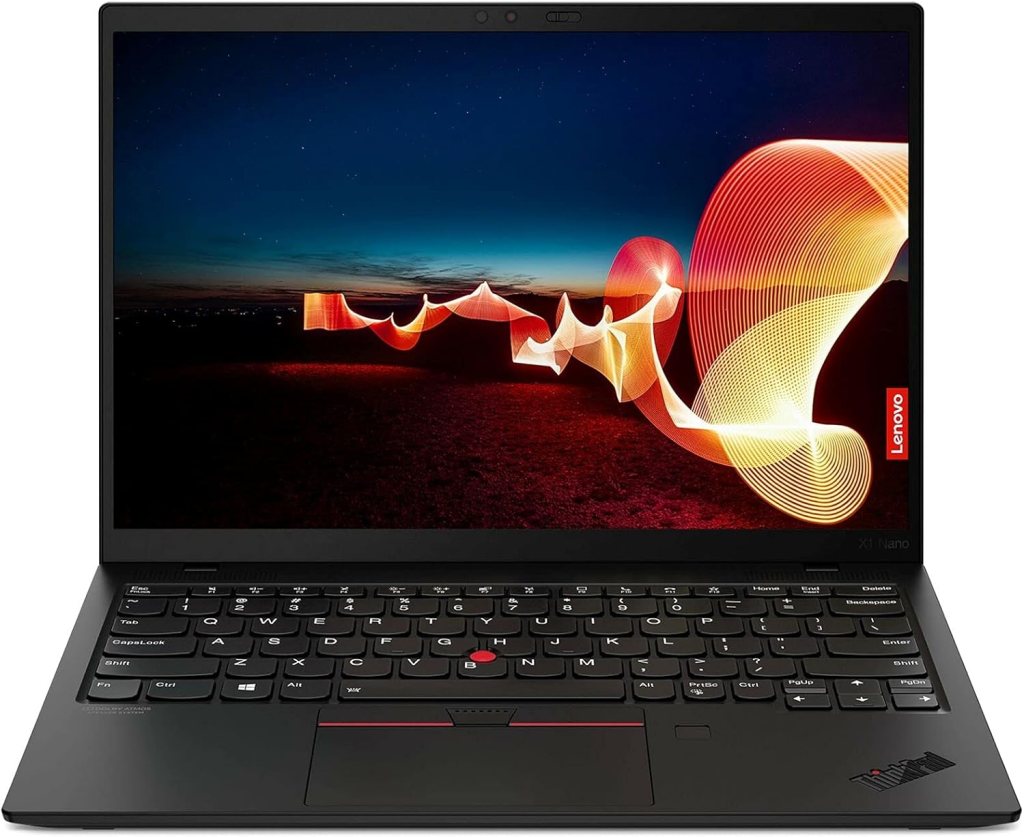
The Lenovo ThinkPad X1 Nano is a lightweight and durable ultrabook known for its high-performance and long battery life. Here’s a breakdown of its key features, pros, and cons:
Features:
- 13-inch OLED Display: A high-resolution OLED display with vibrant colors and deep blacks.
- Intel Core i7-1185G7 Processor: Powerful processor for demanding tasks.
- Up to 16GB RAM: Ample RAM for multitasking and running resource-intensive applications.
- Up to 1TB PCIe SSD: Fast and reliable storage for quick boot times and data access.
- Thin and Light Design: Portable and easy to carry around.
- Carbon Fiber Chassis: Durable and lightweight construction.
- Windows 11: Runs on the latest Windows operating system.
- Thunderbolt 4 Ports: Versatile ports for connecting to various devices.
- Fingerprint Reader: Built-in fingerprint reader for secure and convenient login.
- Dolby Vision HDR: Supports Dolby Vision HDR for enhanced visual experience.
Here are some of the pros and cons of the Lenovo ThinkPad X1 Nano:
Pros:
- Lightweight and Portable: One of the lightest laptops in its class, making it easy to carry around.
- Powerful Performance: The Intel Core i7-1185G7 processor delivers excellent performance for demanding tasks.
- High-Quality Display: The OLED display offers stunning visuals with vibrant colors and deep blacks.
- Long Battery Life: Can last for many hours on a single charge.
- Durable Construction: The carbon fiber chassis ensures durability and protection.
- Windows 11: Runs on the latest Windows operating system with a modern and intuitive interface.
Cons:
- Price: The Lenovo ThinkPad X1 Nano is a premium laptop with a higher price tag.
- Limited Port Choice: Only has a few Thunderbolt 4 ports, which must adapters for connecting to older devices.
- Upgradability: The internal components are not easily upgradeable.
Overall:
The Lenovo ThinkPad X1 Nano is a fantastic ultrabook that offers a combination of performance, portability, and durability. It’s a great choice for professionals who need a powerful and lightweight laptop for their demanding tasks. But it’s important to consider the price and limited port choice before making a buy.
5. Microsoft Surface Laptop Go:
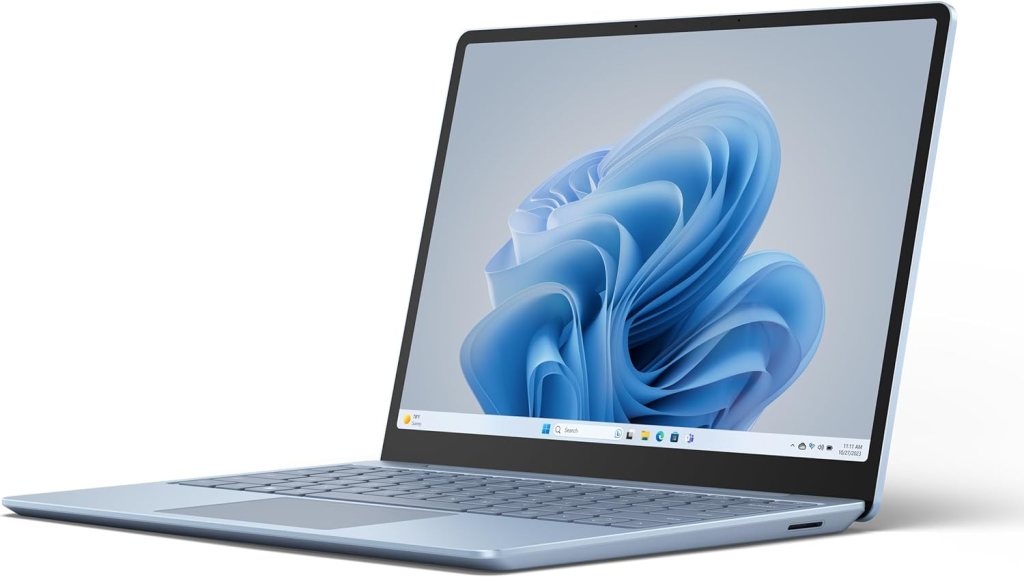
The Microsoft Surface Laptop Go is a budget-friendly mini laptop that offers a good balance of performance and portability. Here’s a breakdown of its key features, pros, and cons:
Features:
- 12.4-inch PixelSense Display: A high-resolution touchscreen display with vibrant colors and sharp details.
- Intel Core i5 or i7 Processor: Powered by Intel Core processors, offering decent performance for everyday tasks.
- Up to 16GB RAM: Ample RAM for multitasking and running basic applications.
- Up to 128GB or 256GB SSD: Fast and reliable storage for quick boot times and data access.
- Thin and Light Design: Portable and easy to carry around.
- Aluminum Chassis: Durable and stylish build.
- Windows 11: Runs on the latest Windows operating system.
- Fingerprint Reader: Built-in fingerprint reader for secure and convenient login.
- Stereo Speakers: Decent audio quality for multimedia enjoyment.
Here are some of the pros and cons of the Microsoft Surface Laptop Go:
Pros:
- Affordable Price: A budget-friendly choice compared to other mini laptops.
- Compact Design: Small and lightweight, making it easy to carry around.
- Decent Performance: The Intel Core processors offer enough performance for everyday tasks like browsing, emailing, and light productivity.
- High-Quality Display: The PixelSense display offers vibrant colors and sharp details.
- Long Battery Life: Can last for many hours on a single charge.
- Windows 11: Runs on the latest Windows operating system with a modern and intuitive interface.
Cons:
- Limited Upgradeability: The internal components are not easily upgradeable.
- Lower-End Specifications: Compared to higher-end mini laptops, the Surface Laptop Go have slightly lower specifications.
- Limited Port choice: Only has a few ports, including USB-C and USB-A.
Overall:
The Microsoft Surface Laptop Go is a great choice for those who need a budget-friendly and portable mini laptop. It offers decent performance, a high-quality display, and a sleek design. But, it’s important to consider its limitations, like the limited upgradeability and port choice, before making a buy.
6. Acer Swift 3:
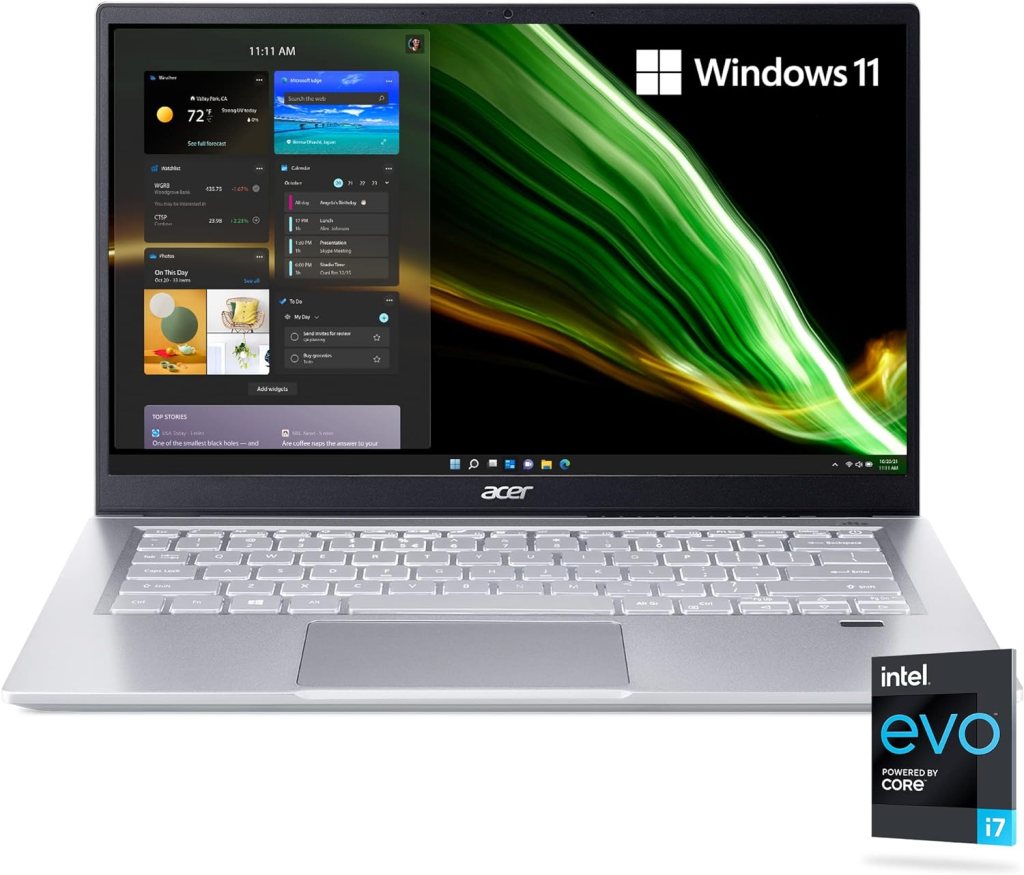
The Acer Swift 3 is a versatile mini laptop known for its good performance and value for money. Here’s a breakdown of its key features, pros, and cons:
Features:
- 14-inch Full HD Display: A high-resolution display with good color accuracy.
- Intel Core i5 or i7 Processor: Powered by Intel Core processors, offering decent performance for everyday tasks.
- Up to 16GB RAM: Ample RAM for multitasking and running basic applications.
- Up to 1TB SSD: Fast and reliable storage for quick boot times and data access.
- Thin and Light Design: Portable and easy to carry around.
- Aluminum Chassis: Durable and stylish build.
- Windows 11: Runs on the latest Windows operating system.
- Fingerprint Reader: Built-in fingerprint reader for secure and convenient login.
- Backlit Keyboard: Comfortable typing experience in low-light conditions.
Here are some of the pros and cons of the Acer Swift 3:
Pros:
- Good Value for Money: Offers decent performance and features at an affordable price.
- Versatile Design: Suitable for both work and entertainment.
- Decent Battery Life: Can last for several hours on a single charge.
- Lightweight and Portable: Easy to carry around for on-the-go use.
- Windows 11: Runs on the latest Windows operating system with a modern and intuitive interface.
Cons:
- Average Display Quality: While the display is good, it not be as high-quality as some premium laptops.
- Limited Upgradeability: The internal components not be easily upgradeable.
- Basic Design: The design not be as sleek or stylish as some other mini laptops.
Overall:
The Acer Swift 3 is a solid choice for those who need a reliable and affordable mini laptop. It offers good performance, a decent display, and a portable design. but, if you’re looking for a premium laptop with a more stylish design, you want to consider other options. Premium laptops have higher-end features.
7. ASUS ZenBook 13:
The ASUS ZenBook 13 is a stylish and powerful mini laptop known for its sleek design and good performance. Here’s a breakdown of its key features, pros, and cons:
Features:
- 13.3-inch Full HD Display: A high-resolution display with wide viewing angles and good color accuracy.
- Intel Core i5 or i7 Processor: Powered by Intel Core processors, offering decent performance for everyday tasks.
- Up to 16GB RAM: Ample RAM for multitasking and running basic applications.
- Up to 1TB SSD: Fast and reliable storage for quick boot times and data access.
- Thin and Light Design: Portable and easy to carry around.
- Aluminum Chassis: Durable and stylish build.
- Windows 11: Runs on the latest Windows operating system.
- Fingerprint Reader: Built-in fingerprint reader for secure and convenient login.
- ErgoLift Hinge: Tilts the keyboard slightly for a more comfortable typing
Here are some of the pros and cons of the ASUS ZenBook 13:
Pros:
- Stylish Design: Sleek and elegant design with a premium build quality.
- Good Performance: The Intel Core processors offer decent performance for everyday tasks.
- High-Quality Display: The display offers vibrant colors and wide viewing angles.
- Lightweight and Portable: Easy to carry around for on-the-go use.
- Windows 11: Runs on the latest Windows operating system with a modern and intuitive interface.
Cons:
- Limited Port Choice: Have limited port options, requiring adapters for connecting to certain devices.
- Price: Can be slightly more expensive compared to some other mini laptops.
- Upgradability: The internal components not be easily upgradeable.
Overall
The ASUS ZenBook 13 is a great choice for those who value a stylish and powerful mini laptop. It offers a good balance of performance, portability, and design. But it’s important to consider the limited port choice and price before making a buy.
Watch Next
Most views blog:-
Neakasa M1: Open-Top Self-Cleaning Cat Litter Box
ForgedAir: The most comfortable and clearest speaking respirator in the world.
Premium Limited Edition Analogue Pocket: Exquisite Design and Authentic Emulation
Dragon Ridge EDC Knife: Titanium Handle, M390 Blade, Ergonomic Design
LOOI: Turn Your Smartphone into a Desktop Robot!
HERO: Best Carbon-Fiber Electric All-Terrain Bike
15 Amazing New Inventions That Are At Another Level
XbotGo Chameleon Al-Powered Sports Tracking Phone Mount
 Gadgets Hub
Leave a comment